
Youth Caps (Caps)
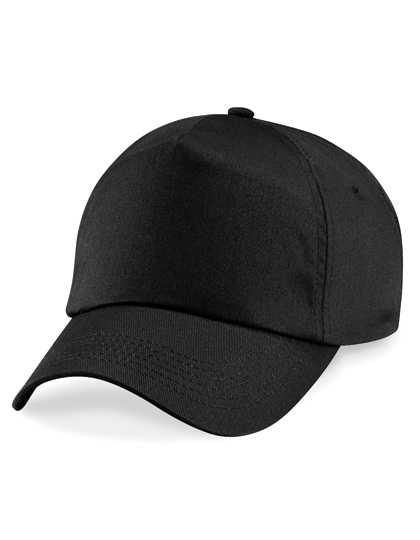


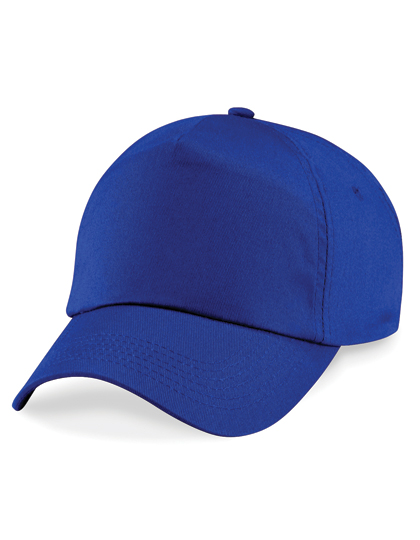




- Beechfield, 100% Cotton Twill
- Rip-Strip™ size adjuster
- Child safe secure button
- Stitched ventilation eyelets
- 5 panel design
- Pre-curved peak
To start, select the product size, preview the design guidelines, download the guidelines for reference, and proceed with the customization options.
Step 1: 🎨 Select Your Color From bold reds to classic blacks, choose the color that suits your style.
Step 2: ⏱️ Pick Your Production Time , Select your timeline based on how fast you need your items.
Step 3: 👕 Choose Your Garment size Enter the quantity you want for each size.
Step 4: 🖨️Select Your Printing Area Want printing on all sides? Just select yes to the extra sides you would like to add printing.
Step 5: ✏️ Start Customizing Click “Start Customizing” to create your design or choose from pre-made options under Browse Designs or upload your own.
Step 6: 📌 Select and Place Your Graphics Select the side of the garment (Front, Back, Sleeves, Chest) and drag your design into place if you have not selected a pre-installed graphic.
Step 7: ✅ Confirm Your Design Click “I Agree” once everything looks perfect and your images are ready.
Step 8: 🛒 Save & Add to Cart You're done! Save your design and add it to your cart to complete your order.
New to using Infocus and would like a little more help, no worries you can email us at Info@infocusphotos.de for more help.